Apps
Every installed app: Start Menu and Store apps, macOS apps, Linux desktop entries including Flatpak and Snap.
firecodecalcSevak is a keyboard-first launcher. Press Win Space (Cmd Space on macOS, Super Space on Linux), type a few letters and press Enter: open apps and files, calculate, convert units, search the web, paste snippets and run commands, without reaching for the mouse.
Apache-2.0 licensed · No account · No telemetry

Apps: type a few letters, press Enter
Sevak waits quietly in the background and appears where you are working the moment you call it.
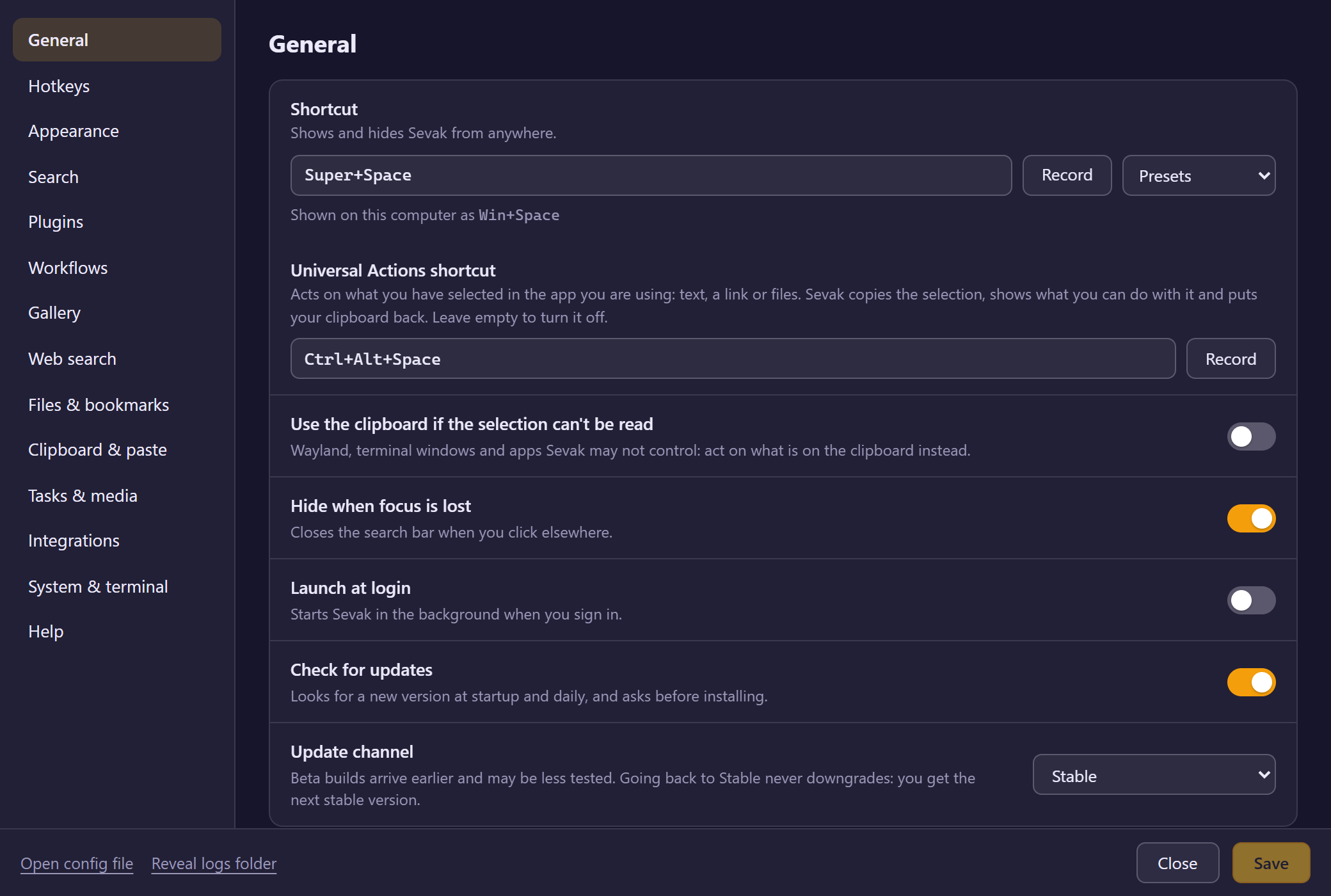
Press Win Space on Windows, Cmd Space on macOS or Super Space on Linux (or your own shortcut; copies that are already installed keep the shortcut they have). The search bar opens on the screen you're using.
A few letters of an app or file, a sum like 12*7, or a keyword such as g for Google.
Enter launches, opens or copies. Ctrl K shows every action. Sevak hides and you keep working.
Built-in features cover the everyday jobs. Each one is a plugin you can switch off, and you can add your own.
Every installed app: Start Menu and Store apps, macOS apps, Linux desktop entries including Flatpak and Snap.
firecodecalcAnswers as you type, and Enter copies them. Units of length, weight, temperature, data and more. Currency rates are optional.
12*75 km in mi72°F to CShort keywords for Google, YouTube and GitHub. Add any site with a {query} URL.
g rust traitsytghFinds files in the folders you choose, and browses any path as you type, with Tab to complete.
f report~/Downloads/Chrome, Edge, Brave, Vivaldi, Opera, Firefox and more, merged across browsers and profiles.
b recipesSearch and paste anything you copied earlier. Off until you turn it on, and stored only on your computer.
cbPaste saved text such as signatures and replies, with placeholders like {date} and {clipboard}.
s sigLock, sleep, restart or empty the trash, with a confirmation for anything destructive. Run commands in your terminal.
locksleep> git statusSelect text in any app and press Ctrl Alt Space: search it, change its case, encode or decode it, or show it in Large Type.
Extend Sevak with Python, Node.js or PowerShell scripts. Understands the Script Filter JSON format used by Alfred.
Light, dark or system theme, your accent colour, fonts, custom CSS, and global hotkeys for any search or action.
Searching apps and files, calculations and ranking all run on your computer. Nothing is collected about you.
The same launcher on every computer you use, and it stays out of your way.
Built in Rust with Tauri. Results update with every keystroke, and Sevak waits in the background so it appears right away.
What you open often and recently rises to the top, and Sevak remembers which result you picked for each search.
Windows 10 and 11, macOS 11 and later, and Linux on both X11 and Wayland, including GNOME's Wayland session.
No account and no telemetry. Sevak only goes online when you run a web search, check for updates (optional), or turn on currency rates.
A single search bar that grows only as much as it needs to, with a Settings window for everything else.
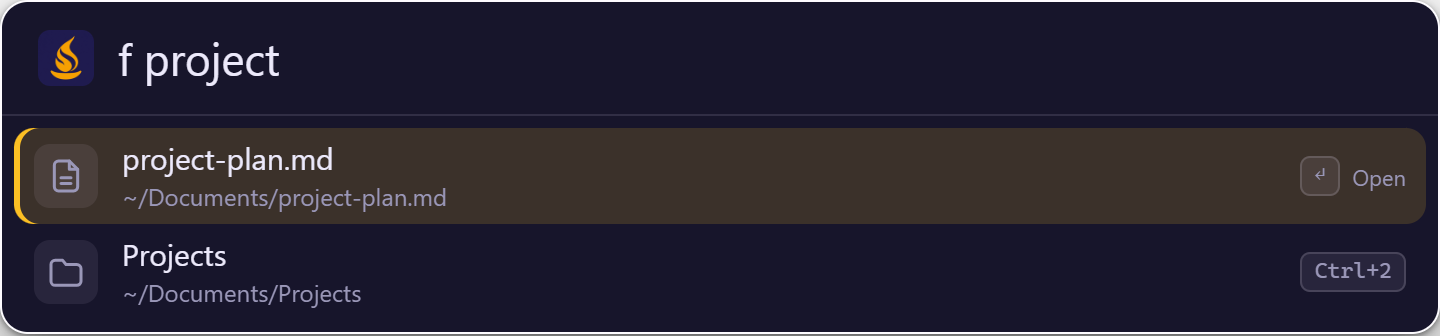
f and a few letters of the name
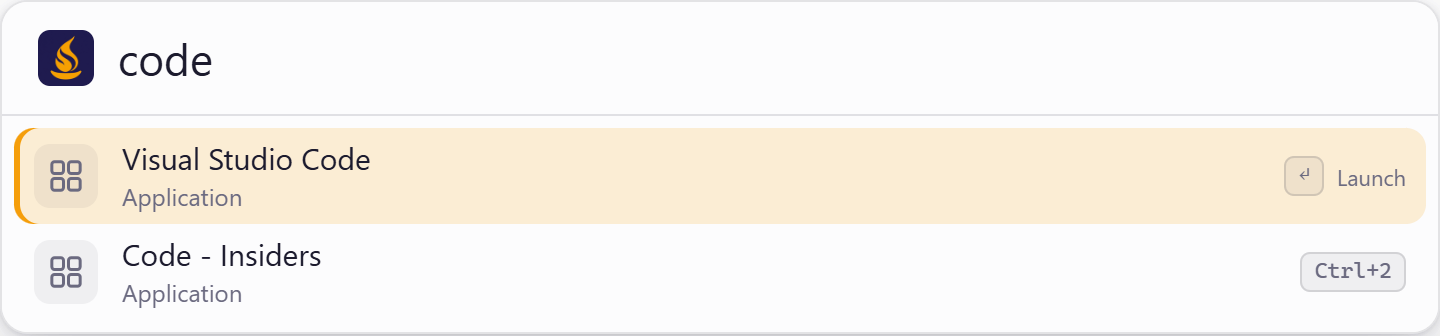
Workflows, script plugins, native extensions and themes, reviewed in the open. Each listing says whether it runs code, and Sevak checks every download against a published SHA-256 before it saves anything.
Search Stack Overflow, MDN, crates.io, npm and PyPI from the launcher.
so mdn crate npmRandom passwords, PINs and tokens, made on your computer. Runs a script after you allow it.
pw 24A soft dark theme with mauve accents, checked for readable contrast. Runs no code.
AppearanceSevak (सेवक) means one who serves.
That's the whole design brief. It appears when you call it, does what you ask, and gets out of the way. The flame-and-lamp logo carries the same idea: readiness to help, and a light to work by.
Pick the installer for your system from the latest release. Sevak can update itself when a new version comes out.
.exe), no admin rights needed.deb and .rpm packages.AppImage for other distributionsThe installers aren't code-signed yet, so Windows and macOS may ask you to confirm the first launch. The install guide walks you through it.
Download it, press Win Space (Cmd Space on macOS), and see how much faster everyday work feels. It's open source, so you can read every line and help shape what comes next.